tvscreener — Unleash the Power of TradingView Scanner in Python

1. What is it?

"If you've ever used TradingView, you know their 'Stock Screener' is excellent. You can filter global stocks based on technical conditions like 'stocks with RSI below 30' or 'MACD bullish crossover' in an instant. The problem is TradingView doesn't offer a free Official API to fetch this data programmatically. tvscreener was created as a Python Library to help us fetch data directly from TradingView's Scanner."

2. How does it work?

"Instead of using old-school Web Scraping which is slow and prone to breaking, tvscreener mimics request sending (API Wrapper) directly to TradingView's backend. Supports all markets: Whether it's Stock, Crypto, Forex, or even various Indices. No Paid Account needed: We can fetch basic data shown on the Screener page without paying expensive monthly fees."

3. Key Features

"What makes this library interesting is: Complete Technical Indicators: We can choose to fetch RSI, Moving Average, Bollinger Bands, or Volume for immediate analysis. Custom Filters: We can write complex filter conditions just like on the web, for example, selecting only Thai stocks with a closing price above the 200-day EMA. Pandas Integration: Returned data is in Pandas DataFrame format, which is the standard for Data Science and Bot developers, making it very easy to run further models."

4. Summary and Use Cases

"What can we do with it? Trading Bot: Create a bot that scans for stocks/coins meeting conditions and sends notifications to Line or Telegram. Daily Report: Automatically generate morning market summary reports. Backtesting: Use it to find a list of historically interesting stocks to test strategies. In short, if we need Real-time data or technical data from TradingView in our Python code, tvscreener is currently the lightest and fastest answer."

Portabase

Portabase

Portabase is a backup and restore platform for databases that allows you

Sleep Hygiene & Blue Light: Is Blue Light Really Harmful?

Sleep Hygiene & Blue Light: Is Blue Light Really Harmful?

Does blue light really ruin your sleep? Learn how blue light affects melatonin and the circadian rhythm, and discover practical sleep hygiene strategies to improve sleep quality.

Tech Neck & Text Neck: The Hidden Neck Strain of the Smartphone Era

Tech Neck & Text Neck: The Hidden Neck Strain of the Smartphone Era

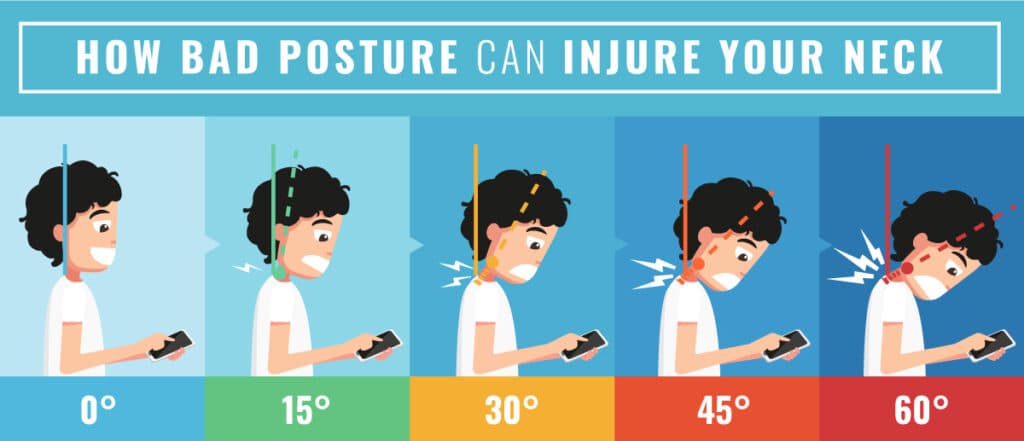
Looking down at your phone may put up to 27 kg of pressure on your neck. Learn about Text Neck Syndrome, its symptoms, and simple ergonomics tips and exercises to prevent long-term damage.

Self Sabotage

Self Sabotage

Why We Secretly Block Our Own Success

The Curb Cut Effect: Designed for Accessibility, Benefiting Everyone

The Curb Cut Effect: Designed for Accessibility, Benefiting Everyone

Discover the Curb Cut Effect and how designing for people with disabilities leads to broader societal benefits. Learn the principles of Inclusive Design and Universal Design in everyday life and business.

Shrekking at work

Shrekking at work

Why are top talents settling for less? Dive into Shrekking at Work, the trend where peace of mind outweighs career status. Discover why Gen Z is choosing the path of least resistance, the hidden dangers of 'rust-out,' and how to use this career detour effectively without losing your professional edge.

ZeroClaw

ZeroClaw

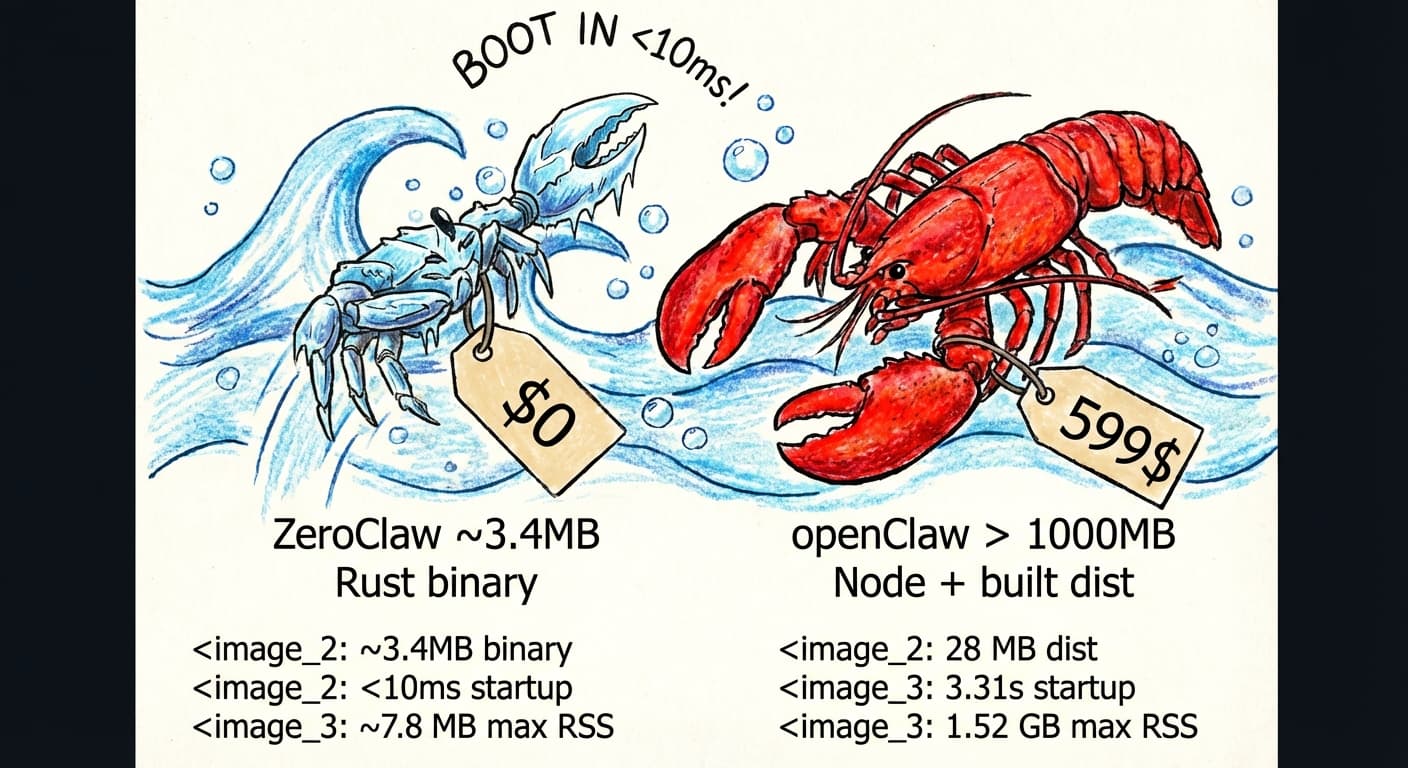
ZeroClaw is a highly efficient, Rust-based alternative to the OpenClaw agent runtime. Designed to address the resource intensity and performance bottlenecks of existing solutions

The Norman Door: Why a “Push/Pull” Sign Is a Failure of Design

The Norman Door: Why a “Push/Pull” Sign Is a Failure of Design

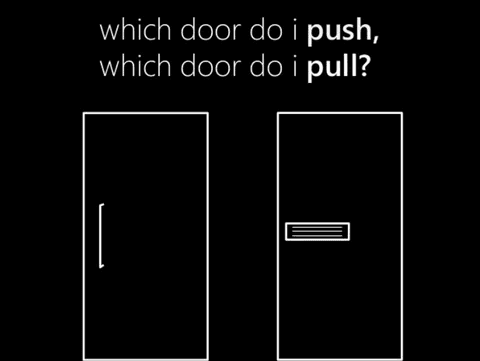
Why do some doors need a “Push” or “Pull” sign? Discover the concept of the Norman Door, Don Norman’s design philosophy, and why user mistakes are often design failures—not human errors.